
An earlier version of this article was featured in CEOTimes
Most companies adopted AI and got nothing.
The slide decks say AI is everywhere. The press releases confirm it. Every conference panel mentions it. And yet many companies that spent the last two years “implementing AI” are quietly facing the same reality:
Nothing actually changed.
Emails still pile up. Documents still sit in folders nobody can search fast enough. And somewhere on the website, there’s a chatbot that confidently answers the wrong question and apologizes in three languages.
The gap between AI that looks impressive and AI that actually works comes down to one thing: how it's built.
This is not an AI problem.
It’s a thinking problem.
Most companies adopted AI and got nothing.
The slide decks say AI is everywhere. The press releases confirm it. Every conference panel mentions it. And yet many companies that spent the last two years “implementing AI” are quietly facing the same reality:
Nothing actually changed.
Emails still pile up. Documents still sit in folders nobody can search fast enough. And somewhere on the website, there’s a chatbot that confidently answers the wrong question and apologizes in three languages.
The gap between AI that looks impressive and AI that actually works comes down to one thing: how it's built.
This is not an AI problem.
It’s a thinking problem.
The Chatbot Nobody Asked For
Let’s start with the most common mistake, because almost every company has either made it or is about to.
A company decides it needs AI.
Someone suggests a chatbot on the website. It gets built in two weeks, trained on the FAQ page, and launched with a press release about “digital transformation.”
Three months later:
The problem was never the technology.
The problem was that nobody asked what specific bottleneck this AI should solve before building it.
The chatbot existed because it was visible and easy to ship — not because it removed a real operational problem.
This is AI theater.
It looks like progress.
It isn’t.
A company decides it needs AI.
Someone suggests a chatbot on the website. It gets built in two weeks, trained on the FAQ page, and launched with a press release about “digital transformation.”
Three months later:
- customers complain it doesn’t understand their questions
- support teams still handle the same volume
- the chatbot confidently shares outdated information
The problem was never the technology.
The problem was that nobody asked what specific bottleneck this AI should solve before building it.
The chatbot existed because it was visible and easy to ship — not because it removed a real operational problem.
This is AI theater.
It looks like progress.
It isn’t.
Three Patterns That Keep Failing
Across industries, failed AI implementations follow the same patterns.
The Standalone Tool
One team buys an AI writing tool.
Another team buys an AI summarizer.
Finance uses a different AI system for reports.
None of them connect to each other. None of them connect to the company’s internal data.
Everyone has a tool.
Nobody has a system.
The Standalone Tool
One team buys an AI writing tool.
Another team buys an AI summarizer.
Finance uses a different AI system for reports.
None of them connect to each other. None of them connect to the company’s internal data.
Everyone has a tool.
Nobody has a system.
The Over-Automated Process
Excited about efficiency, a company fully automates a workflow.
AI writes the email.
AI sends it.
AI logs it.
AI closes the ticket.
Everything works perfectly — until the system sends incorrect information to a client at 2:00 AM.
No one catches it because no human was watching.
Full automation sounds efficient.
Until it isn't.
AI writes the email.
AI sends it.
AI logs it.
AI closes the ticket.
Everything works perfectly — until the system sends incorrect information to a client at 2:00 AM.
No one catches it because no human was watching.
Full automation sounds efficient.
Until it isn't.
The Generic Assistant
A company deploys a general-purpose AI assistant and tells employees:
“Just use it.”
Six months later:
Adoption is at 12%.
Nothing changed about how work actually happens. The assistant simply became another tab employees ignore.
Technology alone does not change workflows.
“Just use it.”
Six months later:
Adoption is at 12%.
Nothing changed about how work actually happens. The assistant simply became another tab employees ignore.
Technology alone does not change workflows.
What Actually Works
Companies that get real results from AI take a very different approach.
1. Start With Data, Not the Model
AI is only as useful as the data it can access.
Many companies skip this step. They spend money on a model, get mediocre results, and conclude that AI doesn’t work for them.
Successful teams start with the boring work:
- organizing internal documents
- structuring knowledge bases
- defining data permissions
- cleaning historical records
This takes weeks.
But it dramatically improves everything that follows.
2. Human-in-the-Loop Is Not a Weakness
The most reliable AI systems today are not fully autonomous.
Instead, they follow a simple pattern:
AI prepares information.
AI drafts responses.
AI summarizes context.
A human reviews and approves.
This approach dramatically reduces risk while still delivering large efficiency gains.
Automation without oversight breaks quickly.
Controlled automation scales.
3. Integrate AI Into Existing Tools
If employees need to open a separate app to use AI, most won’t.
The better approach is to integrate AI directly into tools teams already use:
- document systems
- internal portals
- project management tools
When AI appears inside existing workflows, adoption becomes natural.
When it requires behavioral change on top of everything else, adoption collapses.
The AI Architecture Most Companies Miss

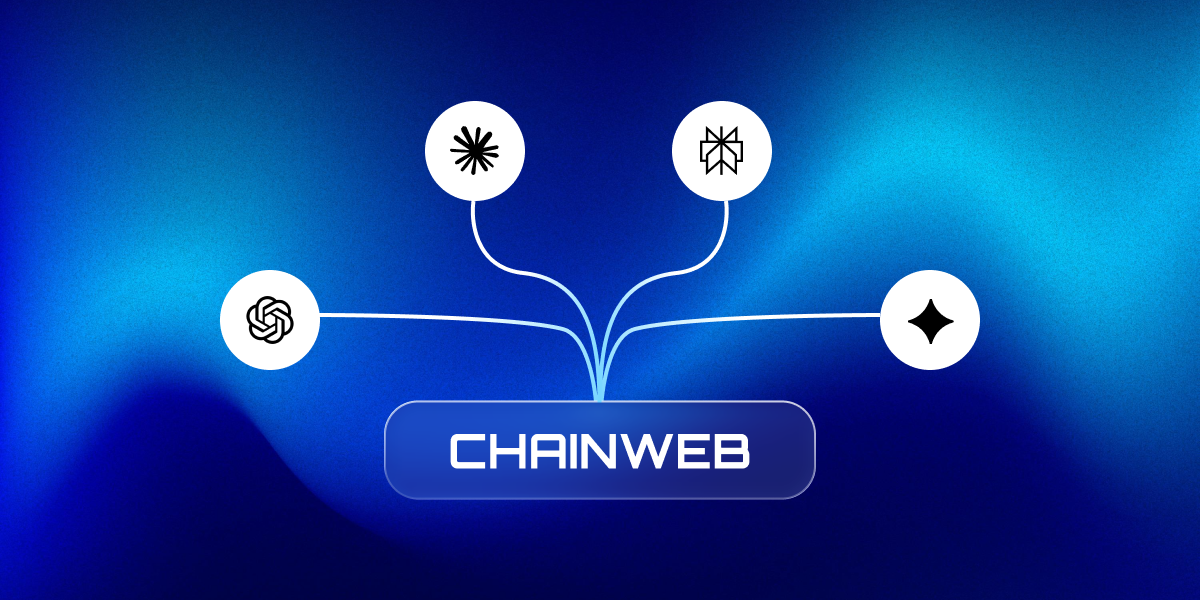
Successful AI systems usually follow a layered architecture.
Most failed projects ignore this structure.
1. Data Layer
The foundation.
This includes:
- documents
- CRM records
- emails
- internal knowledge bases
- structured databases
Without organized data, AI produces weak or inconsistent outputs.
2. Model Layer
This is the language or reasoning engine.
Examples include:
- OpenAI models
- Anthropic Claude
- Google Gemini
These models process language, extract information, and generate responses.
But they only work well when connected to reliable data.
3. Workflow Orchestration
This layer connects systems together.
Typical orchestration tools include:
- Make
- Zapier
- custom APIs
- internal automation services
Orchestration ensures information flows correctly between tools.
4. Human Oversight
Before important outputs leave the system, a human reviews them.
This is especially critical when AI interacts with:
- customers
- financial data
- contracts
- operational decisions
Human-in-the-loop architecture is currently the most stable way to deploy AI in real organizations.
What This Looks Like in Practice
Consider a property management office handling dozens of client accounts.
Every incoming email requires context:
- past conversations
- relevant documents
- invoice history
- open maintenance tasks
Without AI, an employee may spend 15–20 minutes gathering context before writing a response.
With a properly integrated assistant connected to:
- Gmail
- Google Drive
- internal CRM
- document search systems
the process changes.
The AI retrieves the relevant context automatically, summarizes key details, and drafts a response.
The employee reviews it, adjusts if necessary, and sends.
The task that previously took 20 minutes now takes two.
No magic.
Just better workflow design.
The Checklist Before Starting Any AI Project
Before building any AI system, companies should answer five simple questions.
1. What specific task will this system handle?
Define the operational bottleneck clearly.
2. What data does the AI need?
And is that data organized and accessible?
3. Where does human review happen?
Define approval checkpoints.
4. Does the AI integrate into existing tools?
Avoid forcing new workflows.
5. What happens when the system makes a mistake?
And who is responsible for fixing it?
If a team cannot answer all five questions, the project is not ready.
Not because AI is complicated.
Because the problem is not defined yet.
Key Takeaways
- Most AI projects fail because companies start with tools instead of clearly defined problems.
- AI works best when integrated into existing workflows rather than deployed as standalone tools.
- Successful implementations focus on data organization first, not model selection.
- Human-in-the-loop systems significantly reduce risk while maintaining efficiency gains.
- The most effective AI systems combine data access, orchestration, and human oversight.
FAQ: AI Adoption in 2026
Why do most AI projects fail?
Most AI projects fail because companies start with tools rather than operational problems. They deploy visible solutions such as chatbots before identifying the workflow bottleneck they want to solve.
Should companies fully automate workflows with AI?
Not usually. The most reliable AI systems use a human-in-the-loop model where AI drafts or analyzes information while humans approve critical outputs.
What data does AI need to work effectively?
AI requires structured access to internal data such as documents, knowledge bases, CRM records, and historical communication. Without organized data, even advanced models produce weak results.
What tools are commonly used in AI integrations?
Typical AI stacks combine several technologies:
- language models such as OpenAI or Claude
- document processing systems
- automation tools like Make or Zapier
- internal APIs and data pipelines
The architecture connecting these systems is often more important than the model itself.
Building AI That Actually Works
Many organizations are beginning to realize that successful AI projects are less about choosing the right model and more about designing the right architecture around it.
In practice, this often involves combining language models, document processing tools, automation platforms, and internal data systems into a single workflow.
Companies exploring these types of implementations typically need help with:
- AI workflow integration
- document intelligence and semantic search
- automation between internal systems
- custom AI assistants for internal operations
- human-in-the-loop AI pipelines
These types of projects require both technical architecture and a deep understanding of business workflows.
Explore AI Workflow Integration
Organizations looking to move beyond experimental AI tools often focus on building practical systems that integrate directly into their operations.
You can learn more about the types of solutions we develop:
- AI Workflow Integration
- Document Intelligence Systems
- Custom AI Assistants for Internal Operations
- Business Process Automation